DebitMate for iPhone
Direct debits, made clear.
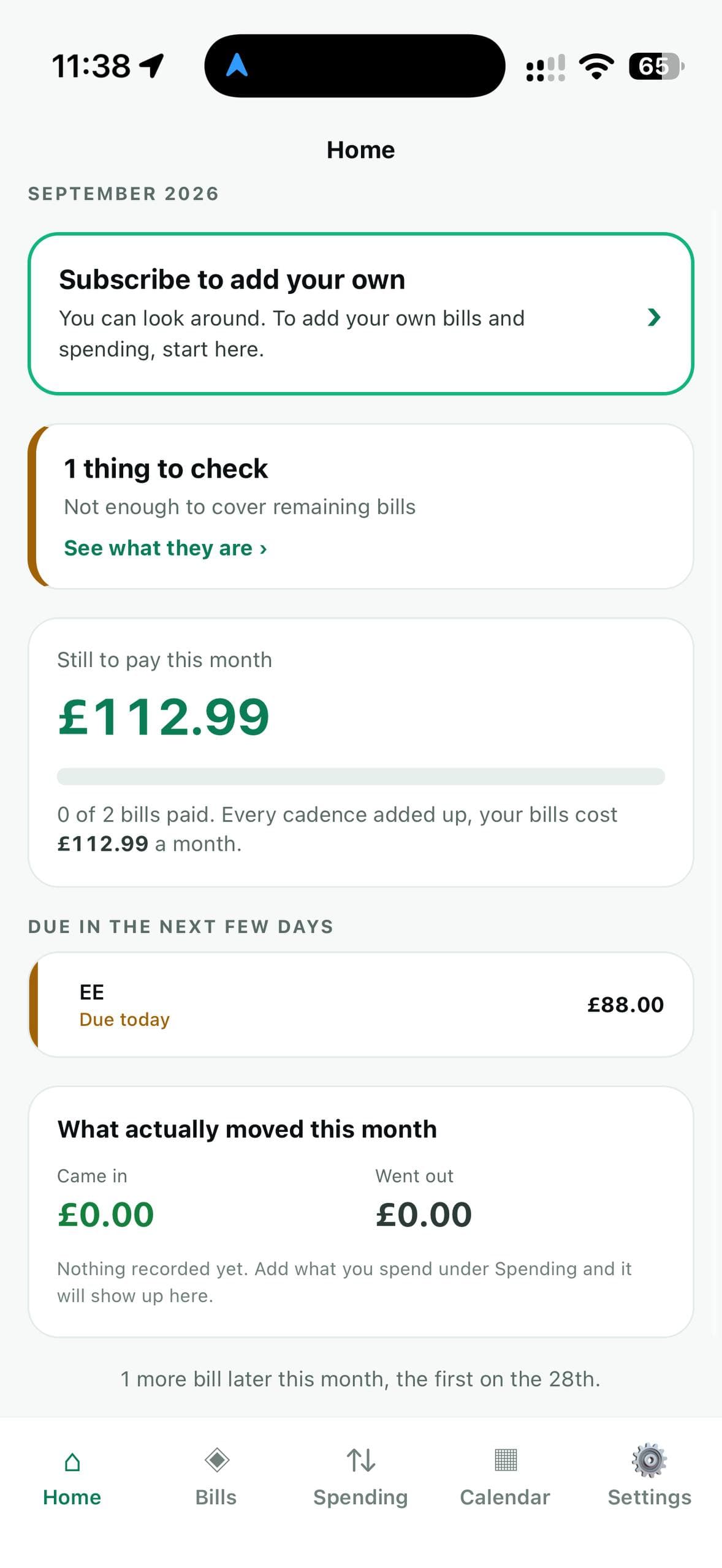
DebitMate keeps track of the money that leaves your account on its own — direct debits, standing orders, subscriptions — so nothing catches you out.
1 week free, then £2.99 a month. No account, no bank connection, nothing uploaded.
6
ways a payment can repeat, from weekly to yearly
4
calendar views: day, week, month and year
12
monthly totals at a glance in the year view
0
bank connections — and there never will be
Bills
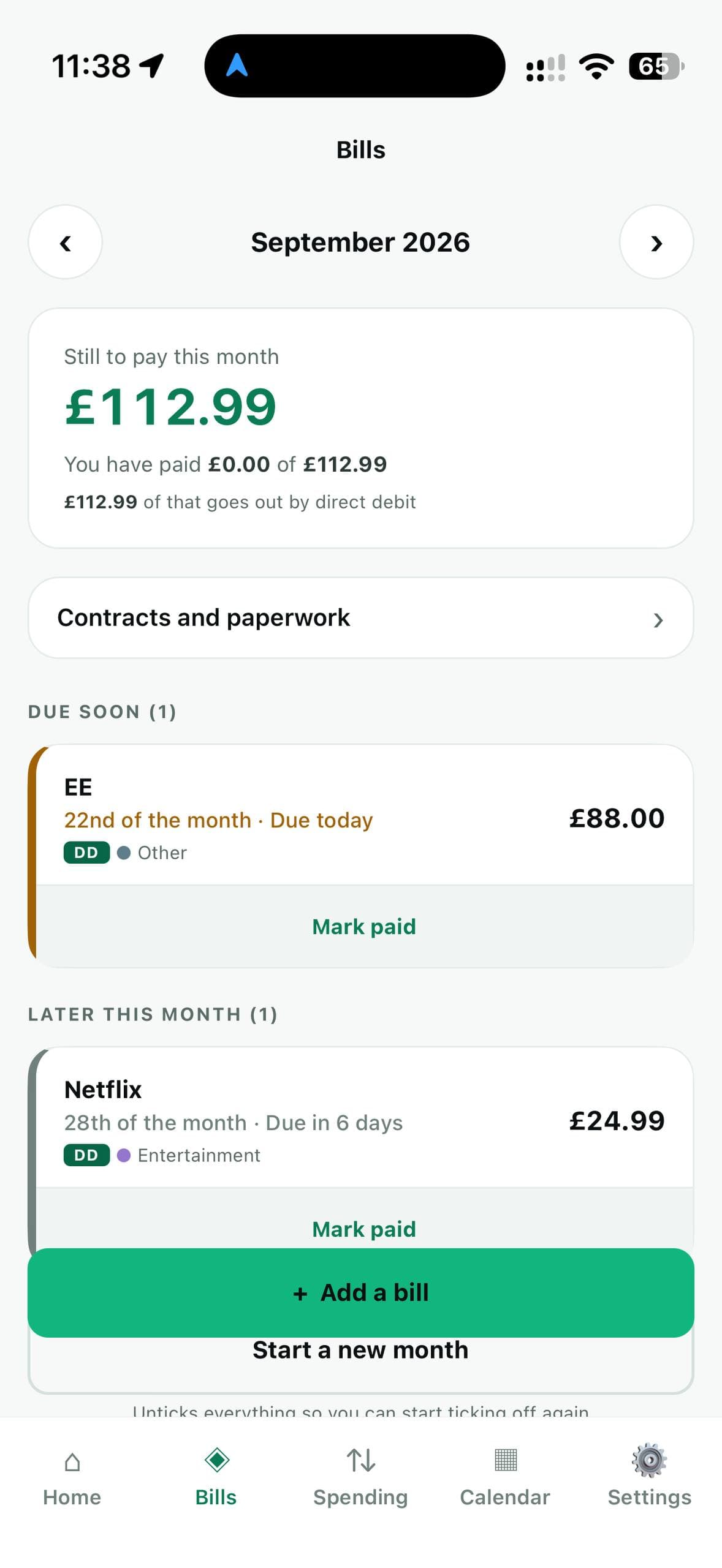
Every payment for the month, in one list.
Direct debits sit at the top, because those go out whether or not you remembered. Each payment shows what it costs, when it is due, and whether it is late, due soon, or already paid.
- Step back through previous months to see what you actually paid, and when.
- Weekly, fortnightly, monthly, quarterly, six-monthly or yearly.
- Mark a payment paid with one tap. Start a new month when you are ready.
Calendar
See what goes out, and when.
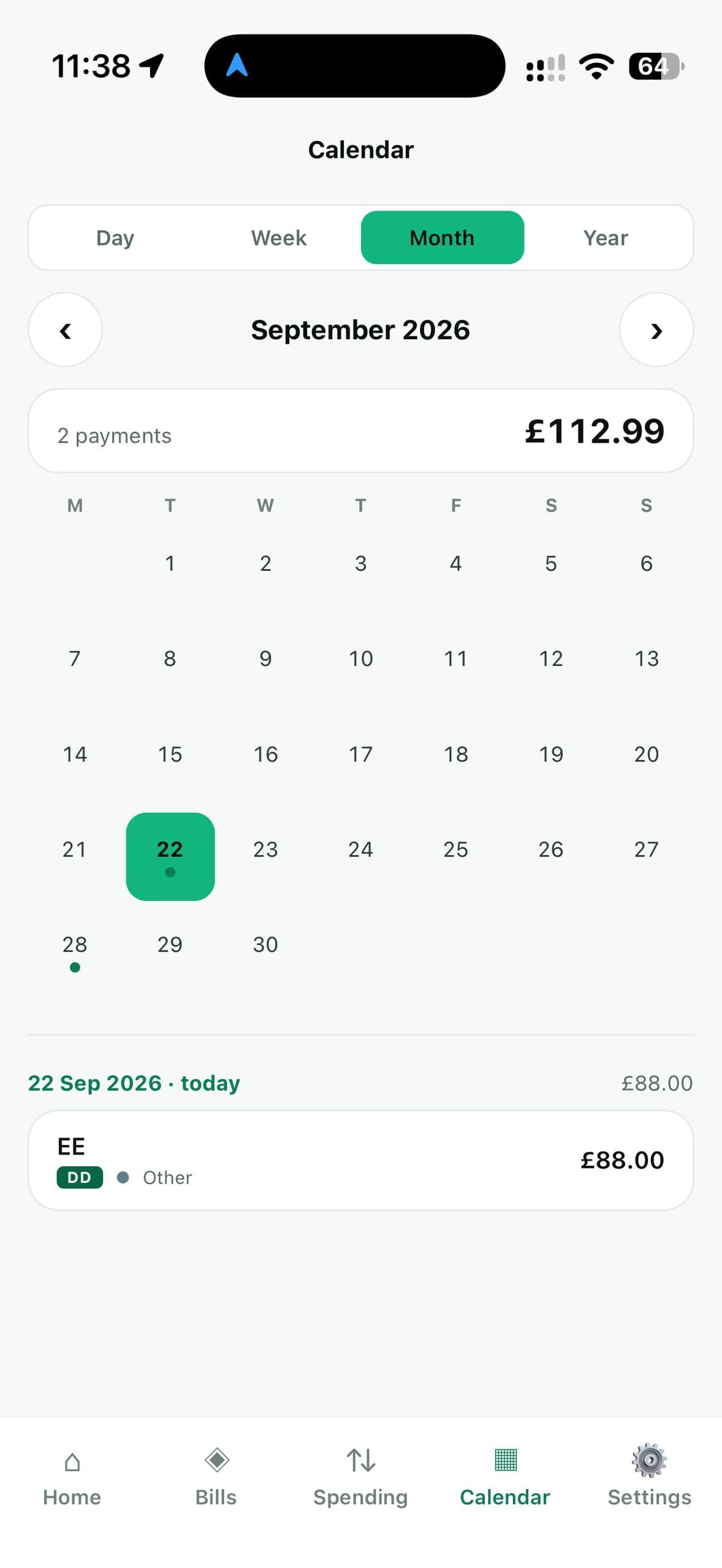
Look at your payments by day, week, month or year. The month view marks every day something leaves your account.
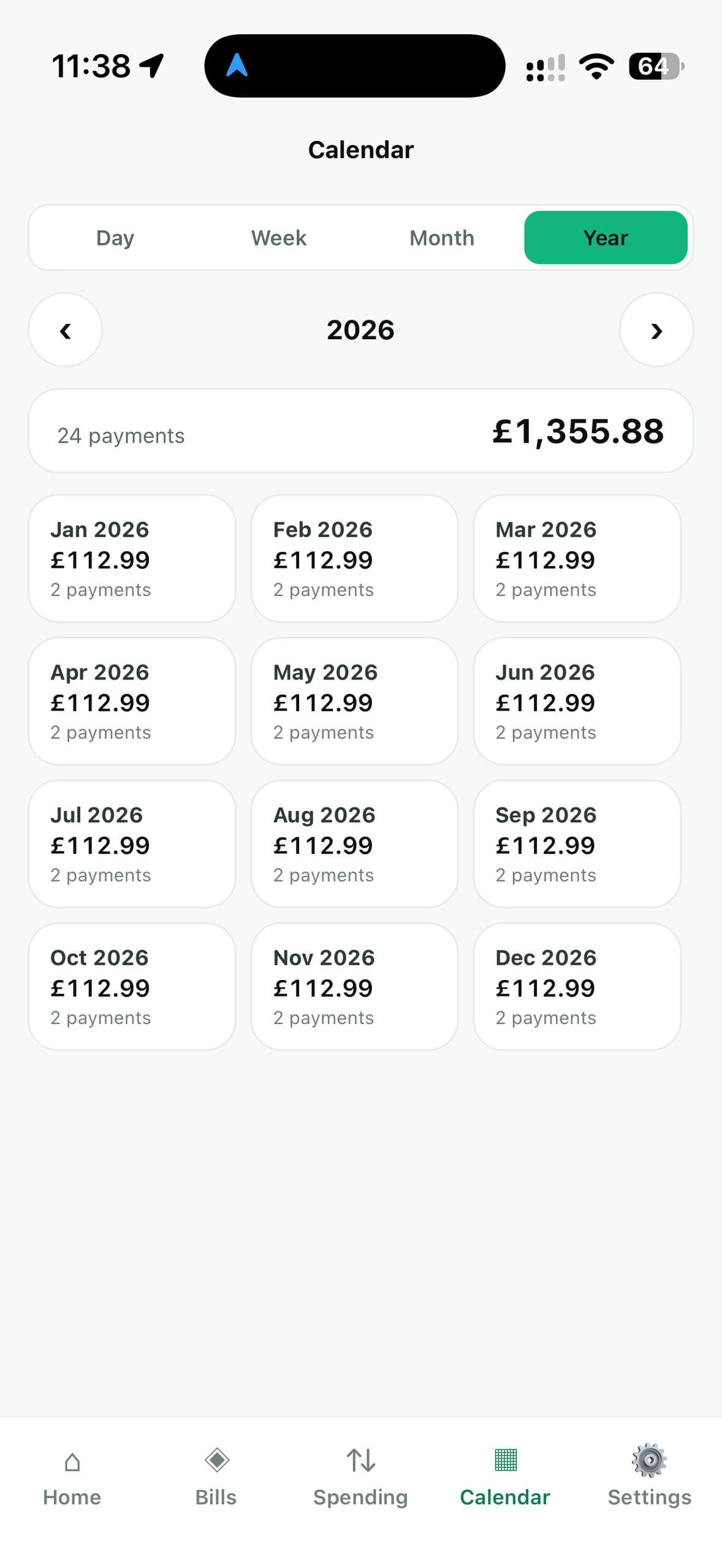
The year view shows twelve totals at a glance. That is how you spot the annual bills — insurance, road tax, a renewal — before they arrive, instead of after.
And the rest
The details that make it useful.
One-off payments
Not everything repeats. Add a single payment on a single date — a deposit, an MOT — and it shows on that day and nowhere else.
When things end
Give a payment an end date, or pick a length. A car lease or a phone contract stops appearing once it is over, instead of nagging you for ever.
Paperwork with the payment
Keep a tenancy agreement or an insurance policy filed against the payment it belongs to. DebitMate can read a contract and suggest the amount and dates. You check everything before anything is added.
Who to ring
Save the phone number, email and account number for each payment, so you are not hunting through a drawer when something goes wrong.
Spending and limits
Record what you spend and set a monthly limit on any category. The bar turns amber as you get close, and red if you go over.
- Under the limit
- Getting close
- Over the limit
Built to be understood
Plain words instead of accounting terms. Large text and large buttons. Light and dark themes, or follow your iPhone.
Pricing
Try it free for 1 week.
You can look around the app without subscribing. Adding and changing your own payments needs the free trial or a subscription. Anything you have already entered stays yours to see and delete, subscribed or not.
DebitMate Monthly
£2.99a month, after 1 week free
- Every feature, on your iPhone.
- Renews each month. Cancel any time in your iPhone's Settings.
- Paid through Apple — DebitMate never sees your card details.
Using a Windows PC? DebitMate for Windows is a separate app with its own licence. See Windows pricing.
Privacy
Nothing is sent to us.
There is no account to create, no password and no sync. DebitMate does not connect to your bank, and never will. There is no analytics, no tracking and no advertising. Delete the app and your figures go with it.