Features
Everything DebitMate does.
DebitMate keeps track of the money that leaves your account on its own, so nothing catches you out. Here is all of it, on your iPhone — and, at the end, what it deliberately does not do.
Home
What needs you this month, first.
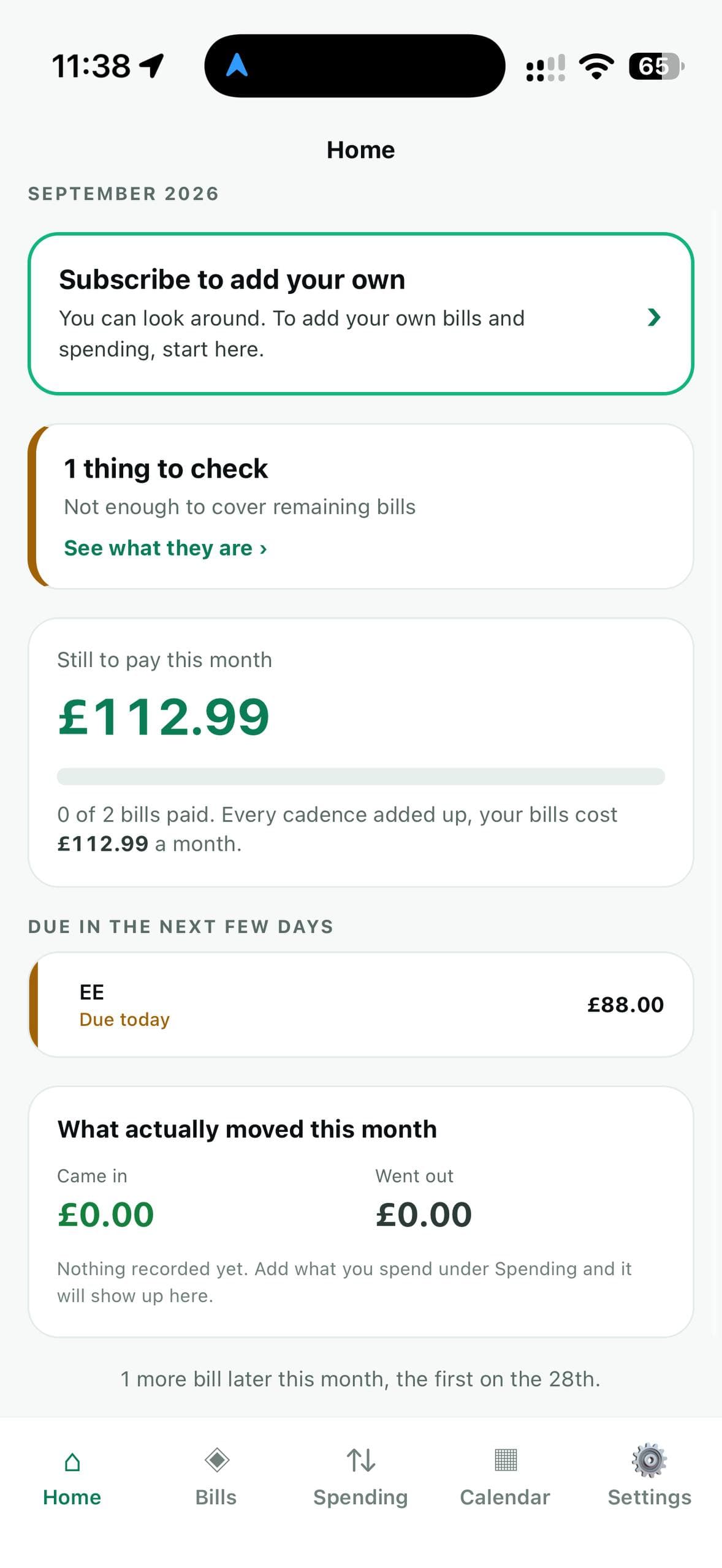
Home opens on what is still to pay this month and what is due in the next few days.
If something needs checking — a bill that is late, or not enough left to cover the rest — it says so in plain words at the top.
Bills
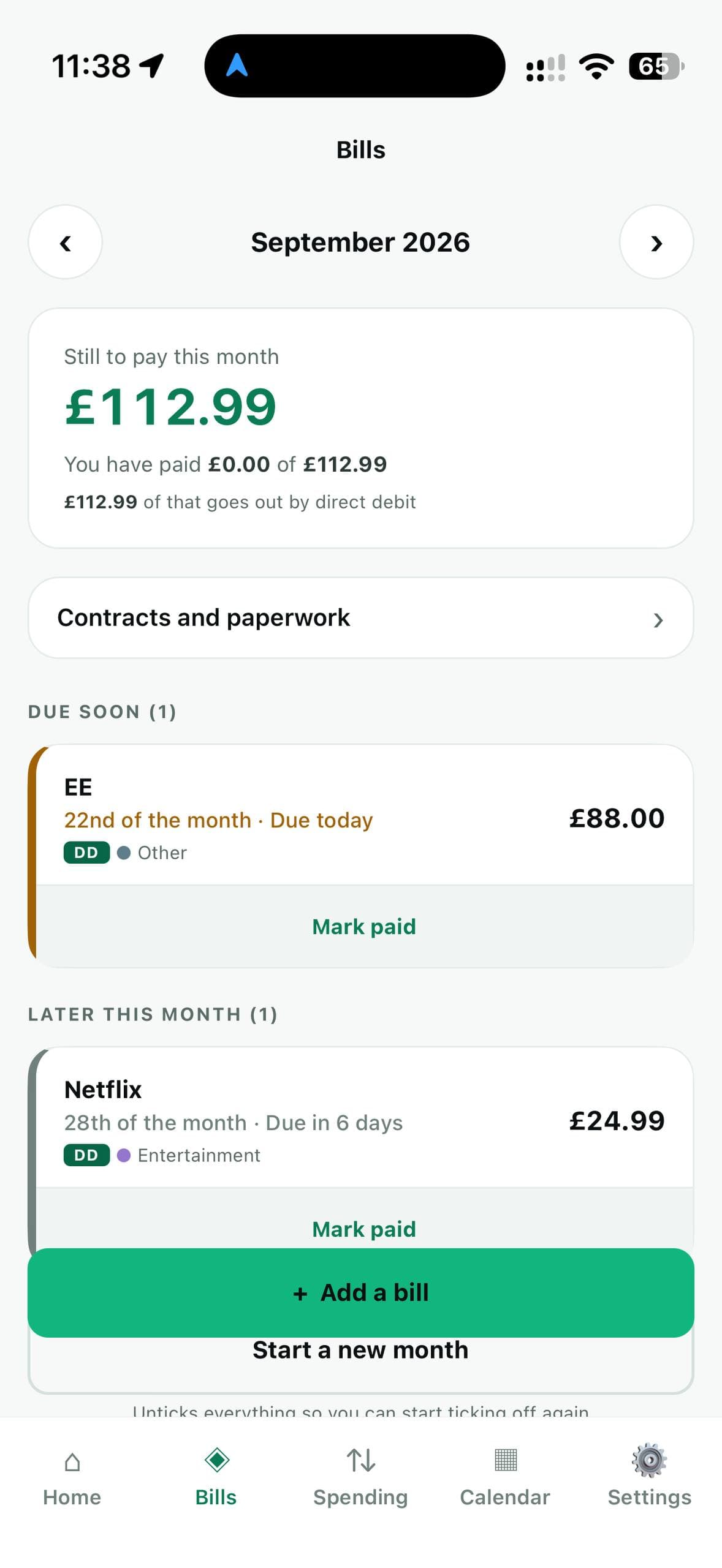
Every payment for the month, in one list.
Direct debits sit at the top, because those go out whether or not you remembered. Each payment shows what it costs, when it is due, and whether it is late, due soon, or already paid.
- Weekly, fortnightly, monthly, quarterly, six-monthly or yearly.
- Step back through previous months to see what you actually paid, and when.
- Mark a payment paid with one tap. Start a new month when you are ready.
Calendar
See what goes out, and when.
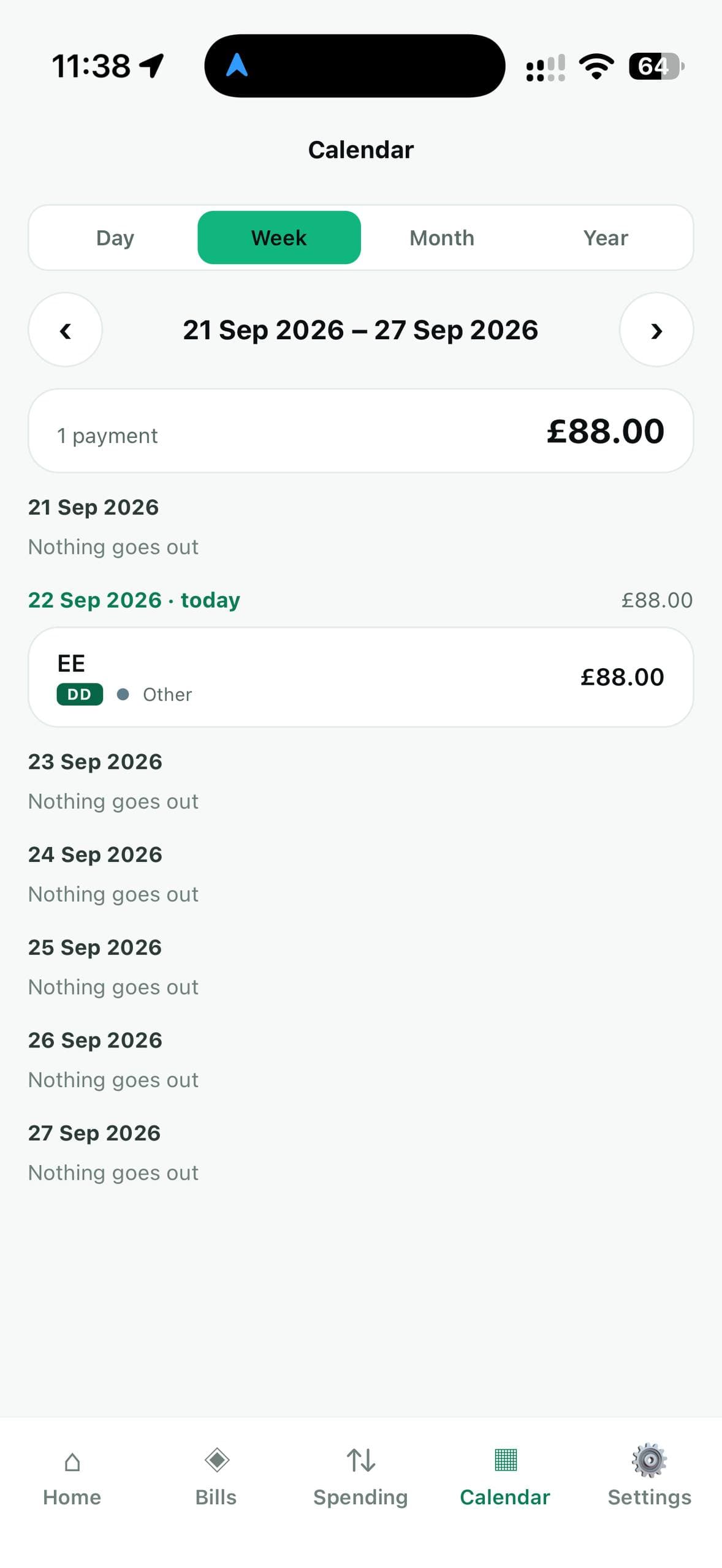
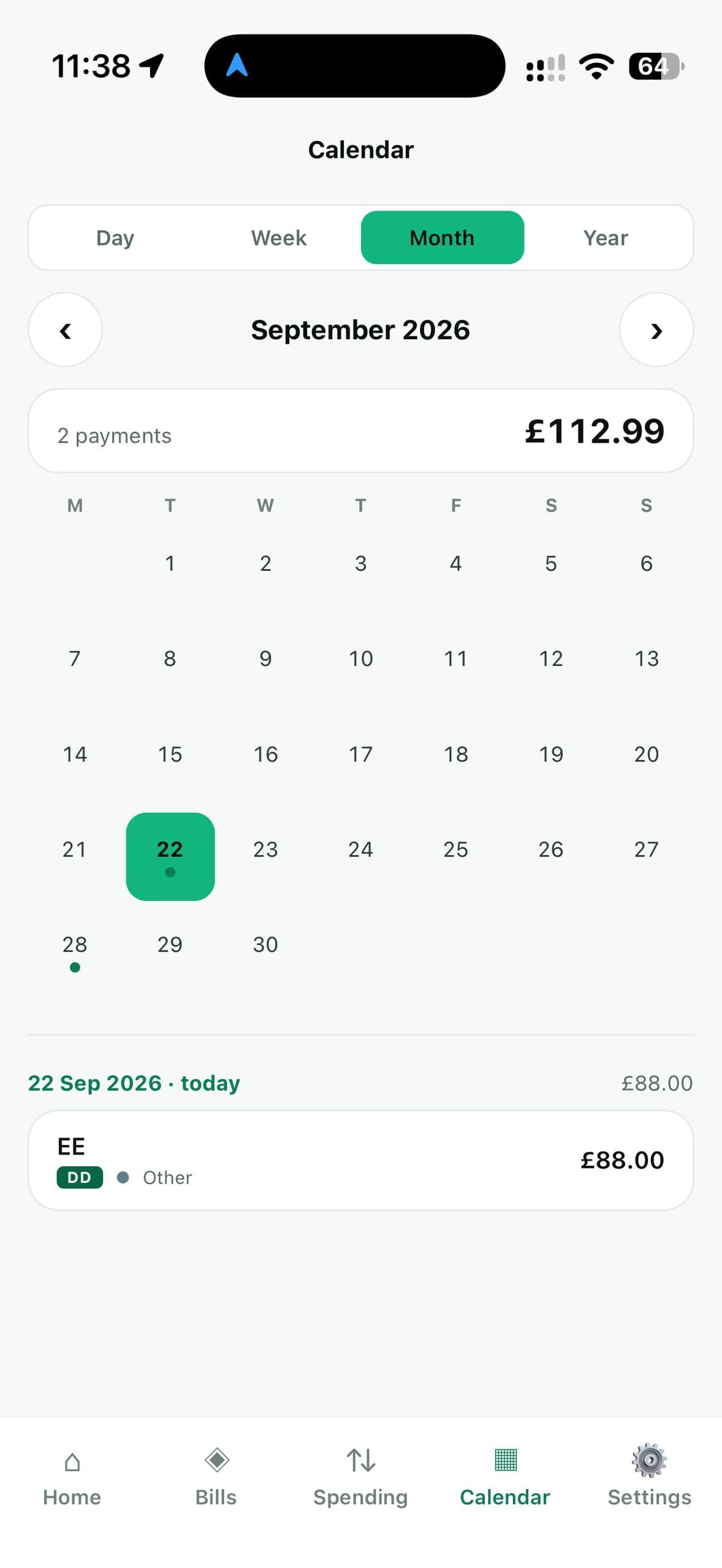
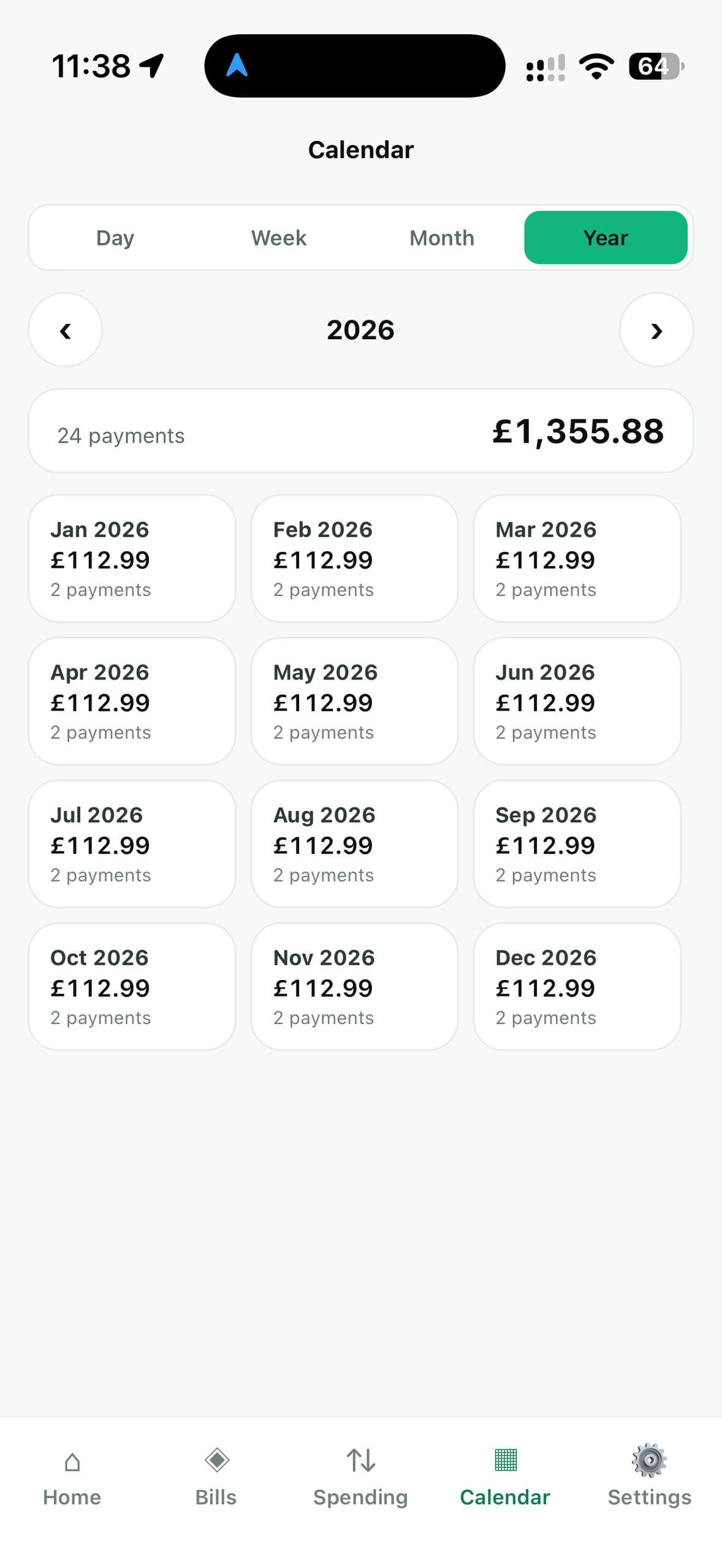
Look at your payments by day, week, month or year. The month view marks every day something leaves your account; the week view lists each day, including the ones where nothing goes out.
The year view shows twelve totals at a glance. That is how you spot the annual bills — insurance, road tax, a renewal — before they arrive, instead of after.
In your calendar
Your payments, in your calendar.
Turn on “Add my payments to my calendar” in Settings, and each payment appears in your iPhone’s calendar on the day it is due, with a reminder. Put them in a new calendar called DebitMate, or in one you already use.
Change a payment and its event changes with it. Delete the payment, or turn the feature off, and DebitMate takes its events back out. It never touches anything else in your calendar.
- Off until you turn it on. Only then does the app ask for calendar access.
- Each event shows the name, the amount, how it is paid and any reference number.
- If that calendar is on iCloud, Google or Outlook, your iPhone syncs it there as usual. Nothing is sent to us.
One-off payments
Not everything repeats.
Add a single payment on a single date — a deposit, an MOT, a bill you do not want to commit to — and it appears on the calendar for that day and nowhere else.
End dates
When a contract ends, so does the reminder.
Give a payment an end date, or pick a length: 6 months, a year, two years. A car lease or a phone contract then stops appearing once it is over, instead of nagging you for ever.
Paperwork
Keep the contract with the payment.
Store your contracts in the app — a tenancy agreement, a car lease, an insurance policy — filed against the payment they belong to, and read them without leaving it.
DebitMate can also read a contract and suggest the amount, the dates and who it is with. It is a suggestion: you check everything, and nothing is added until you confirm. The contract is read on your iPhone and is never uploaded.
Who to ring
The number you need, where you need it.
Save the phone number, email and account number for each payment, so you are not hunting through a drawer when something goes wrong.
Spending and limits
A limit you can see coming.
Record what you spend, search it, and set a monthly limit on any category. The bar fills as you spend, turns amber as you get close, and red if you go over.
Built to be understood
Plain words. Large text. Your choice of light or dark.
DebitMate uses plain words instead of accounting terms, with large text and large buttons throughout.
Every amount is stored as a whole number of pence, so your totals add up exactly. Pounds by default, with other currencies available. Light and dark themes, or just follow whatever your iPhone is set to.
Being straight with you
What DebitMate does not do.
Each of these is a decision, not a feature waiting for a later version.
- It does not connect to your bank
- Connecting to a bank needs regulation DebitMate does not have, and hands someone standing access to your account. You add payments yourself, so nobody else ever has that access.
- It does not sync between devices
- Syncing needs a server holding your finances. There is not one. Your records are kept on the device you entered them on.
- It does not collect analytics or show adverts
- Nothing about how you use DebitMate is measured or sent, and there is no advertising in it.
- It does not give financial advice
- DebitMate shows your own figures accurately and points out things worth checking. It is not a regulated financial service, and what to do about your money is your decision.
Also on Windows
DebitMate for Windows is a separate app.
The Windows app is for sitting down with a bank statement. You import the CSV file your bank gives you, and it sorts the transactions into categories with rules you set. It also has budgets, net worth, savings goals and costs split with other people. Like the iPhone app, it keeps everything in a file on your own computer.
It has its own licence, bought separately. Each app keeps its own records; they do not share them with each other.
See it with your own payments.
Look around free. Add your own with a week's free trial. Pricing